
Live translation
Two people, two languages,
one screen you both understand.
No need to ask which language they speak: CueBee detects it and translates into yours while they talk. What you say stays as you said it, so the whole conversation is on one screen. Want them to read along? Switch the translation to their language any time.


- No need to ask which language first: open it and it translates
- If they switch languages mid-sentence, it keeps up
- No passing the phone, no one left waiting
“Could you say that again?” You won't need to ask.
“60+” counts the languages speech recognition understands. Translations can go into 24 languages for now, and Traditional Chinese output isn't available yet.
Floating subtitles
Movies, lectures, Zoom:
subtitles float on top.
No switching windows, no looking down at your phone. CueBee listens to your computer's own audio, its subtitles float above every window, your mouse still works on the app underneath, and you can drag them anywhere. Movies, series, documentaries, videos with no captions, recorded lectures, group meetings: open them and the translation is there.
These are the app's real settings: 4 sizes, 5 colours, an optional dim background, and the original above or below the translation.
- Always on top
- Video players, lecture players, meeting apps, PDFs, browsers: nothing covers it.
- Click-through
- The subtitles are transparent to your mouse, so the app underneath works as usual.
- Your computer's own audio
- Movies, series, Zoom, Meet, Teams, lecture videos: no need to play them out loud for the microphone.
- iPad picture-in-picture
- Subtitles float over other apps while you take notes.
Floating subtitles: Mac · Windows · iPad (picture-in-picture)
Live interpretationComing soon
Speak your language.
The meeting hears English.
In an international meeting you know exactly what you want to say; the language is what gets in the way. You think it in Chinese, translate it in your head on the spot, and lose your nerve halfway through the sentence. Just speak your own language: CueBee listens, translates, and says it for you in the meeting's language. You think about what to say; it handles the language.
- 1You speak ChineseLin · your microphone“我觉得第三季度上线更稳,数据这边我来盯。”Say what you think, in the language that comes easiest.
- 2CueBee translates as you speak中文 → EnglishI think Q3 is the safer launch…It understands what you mean, puts it in the meeting's language, and says it for you.
- 3The meeting hears EnglishVideo call · 4 peopleYour colleagues hear the translated English directly.ManagerLin · speakingMayaDanielWhat Manager, Maya and Daniel hear“I think Q3 is the safer launch. I'll keep an eye on the data side.”
the meeting works both ways.Understand them, and be understood
- Them → youThey speak English; subtitles in your language float on your screenFloating subtitles · available now
- You → themYou speak Chinese; everyone in the meeting hears EnglishLive interpretation · coming soon
Live interpretation is still in development. We'll tell you in the app when it's ready. The conversation shown is an example.
Fast, and it never interrupts
Fast means
nobody waits for you.
No waiting for them to finish: the original and the translation appear word by word, keeping up with normal speech. The moment they stop, the full translation is final. Phone in your pocket, earbuds in: no passing the phone back and forth, no staring at a screen.
The paper is due next Friday, but you can submit a draft by Wednesday for feedback.
论文下周五交,不过周三前可以先交草稿,拿反馈。

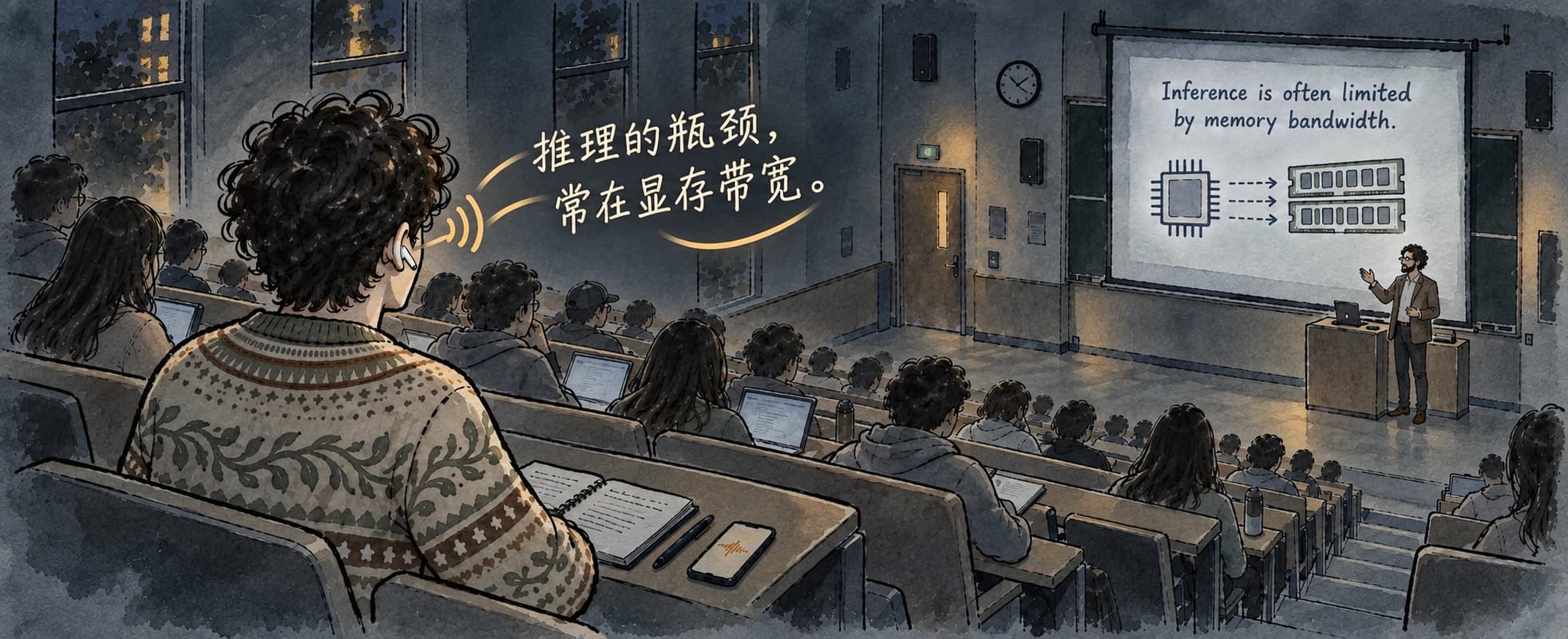
Eyes on the professor,
the translation in your ear.
Put in your earbuds and turn on Read translation aloud: CueBee reads the translation to you.
Read aloud: web · computer · iPhone · Android
With Read translation aloud on, translation time counts double. Use earbuds: sound from a speaker gets translated again. On a computer it reads aloud only while capturing the microphone. Slides can be PDFs, images or text; export PowerPoint to PDF first.
After the conversation
No notes to write up afterwards.
Every conversation is saved, with a title and a recap the moment it ends. Which day was that deadline the professor mentioned last week? Ask CueBee, and the answer points to the conversation it came from.
You used to dig through the class group chat.- Midterm covers chapters 3–5
- Paper due next Friday; drafts by Wednesday
- Next class: fiscal policy
You might also be wondering
Do I have to download anything?
Not for translation: it works in your browser. Wingman and Interview mode need the app.
Will it get technical terms wrong?
Names and jargon are the hardest part, so you can feed it material first. Before a lecture or meeting, upload slides, a PDF, an image or notes: CueBee picks out names, terms and bilingual pairs and translates with them (computer · iPhone · Android). Missed a line? Select it and ask CueBee.
Why no latency figure in milliseconds?
Because we haven't finished measuring it properly. The demo above shows the real pace: subtitles move while they're still talking, and the sentence settles the moment they stop. Once we've measured, we'll publish the numbers along with the method.
Is it free?
Sign up and get 3 hours of translation plus 3 hours of Wingman, no card needed. Interview mode comes with 20 free premium answers a month; after that it keeps answering on a lighter model. With Read translation aloud on, translation time counts double.
Are my recordings safe?
Recordings go only into your account's private archive, and your voiceprint stays on your device. When you translate on the web, microphone audio is sent to CueBee as you speak and saved to your private audio archive; pausing or ending turns the microphone off. The voiceprint that tells which lines are yours is stored only on your own device. If you stop using CueBee, you can delete your account.
CueBee can also…


Tomorrow
Tomorrow,
no more pretending.
- The professor says a line, and you follow it.
- At the group meeting, you say more than yes.
- Stumped, you press once, and the story you tell is still your own.
- When the whole table laughs, you actually got the joke.
3 h of translation + 3 h of Wingman when you sign up, no card needed · Mac · Windows · iPhone (TestFlight) · Android · Web (translation only, for now)